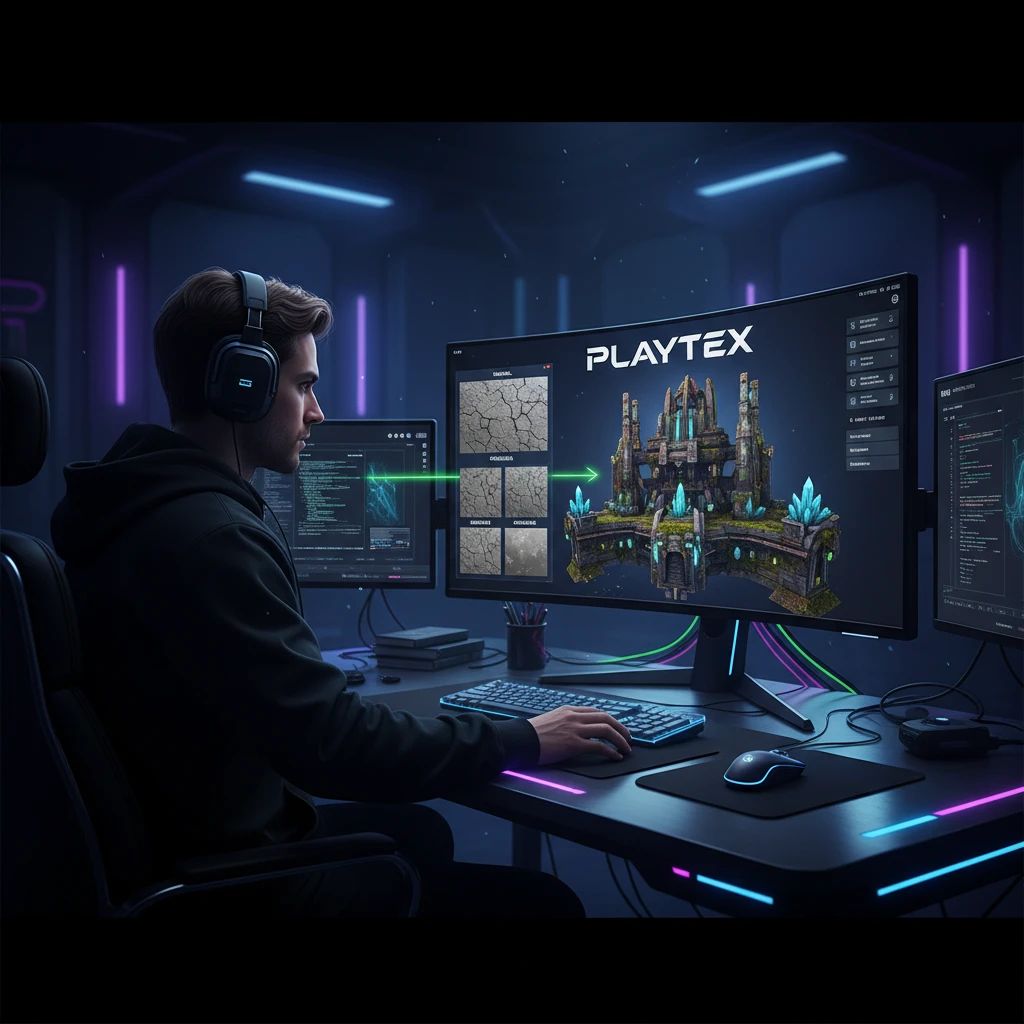
How to Turn Any Image Into PBR Texture Maps for Game Development
Learn how to transform any source image into high-quality, production-ready PBR texture maps using PLAYTEX. This guide covers image preparation, seamless tiling, and comprehensive PBR map generation for game development.
Reviewed June 3, 2026
June 3, 2026pbrtexture mapsgame developmentai generation
Key Takeaways
PBR texture maps are essential for realistic material rendering in modern game development.
PLAYTEX offers an integrated workflow to convert any source image into a complete PBR material set.
The PLAYTEX Image Editor is crucial for preparing and cleaning source images for optimal results.
The PLAYTEX Image to Texture Generator creates seamless, tileable textures from photos and reference images.
The PLAYTEX PBR Map Generator builds comprehensive Normal, Roughness, Metallic, AO, Height, and Emission maps, tuned for real-time engines.
Who Informed This
This article is informed by an understanding of modern game development asset pipelines and the specific capabilities of the PLAYTEX platform for texture and material generation, drawing directly from its documented features and intended workflows.
How It Was Evaluated
The workflows described are based on the documented features and intended use cases of the PLAYTEX Image Editor, Image to Texture Generator, and PBR Map Generator, as detailed in the official PLAYTEX guides and public workflow pages.
Proof And Evidence
PLAYTEX is engineered to deliver production-ready PBR texture maps, supporting a unified workflow from initial image cleanup to engine-ready material export, as evidenced by its dedicated tools for image processing, tileable texture creation, and comprehensive PBR map generation.
Limits And Caveats
This guide focuses on the PLAYTEX workflow for converting images to PBR maps. While effective, the quality of the final output is always influenced by the quality of the initial source image and the user's artistic input and refinement choices within the tools.
In modern game development, Physically Based Rendering (PBR) is the standard for achieving realistic and consistent material visuals. PBR relies on a set of texture maps—like Normal, Roughness, and Metallic—that accurately describe how light interacts with a surface. While creating these maps from scratch can be time-consuming, advancements in AI and specialized tools now allow creators to transform almost any source image into a complete, game-ready PBR material set.
This guide will walk you through a streamlined workflow using PLAYTEX, a platform designed to accelerate your texture and material pipeline. We'll cover everything from preparing your initial image to generating a full suite of PBR maps, ensuring your assets look their best in any real-time engine.
What Are PBR Texture Maps and Why Are They Essential?
PBR texture maps are a collection of grayscale or color images that define various surface properties of a 3D model. Instead of simply painting color, PBR maps provide data that a rendering engine uses to calculate how light should behave on a surface, leading to more physically accurate and visually compelling results. This approach ensures materials respond realistically to different lighting conditions.
For game developers, PBR is crucial because it offers consistency across assets, reduces the need for extensive manual lighting adjustments, and delivers a higher fidelity visual experience. A well-crafted PBR material can make a simple 3D model look incredibly lifelike, enhancing immersion and overall game quality.
The Core Workflow: Image to PBR Maps with PLAYTEX
The journey from a single source image to a complete PBR material set in PLAYTEX involves a few distinct, yet interconnected, steps. This integrated approach minimizes context switching and keeps your creative flow uninterrupted. The platform provides dedicated tools for each stage, ensuring precision and efficiency.
The general pipeline includes:
Image Preparation: Cleaning and optimizing your source image.
Seamless Tiling: Converting the image into a tileable texture.
Refinement and Export: Tuning and preparing the material for your game engine.
Step 1: Preparing Your Source Image for Optimal Results
The quality of your final PBR maps heavily depends on the quality of your initial source image. Distractions, inconsistent lighting, or unwanted elements can negatively impact the generated textures. This is where the PLAYTEX Image Editor becomes invaluable, allowing you to refine your input before any generation begins.
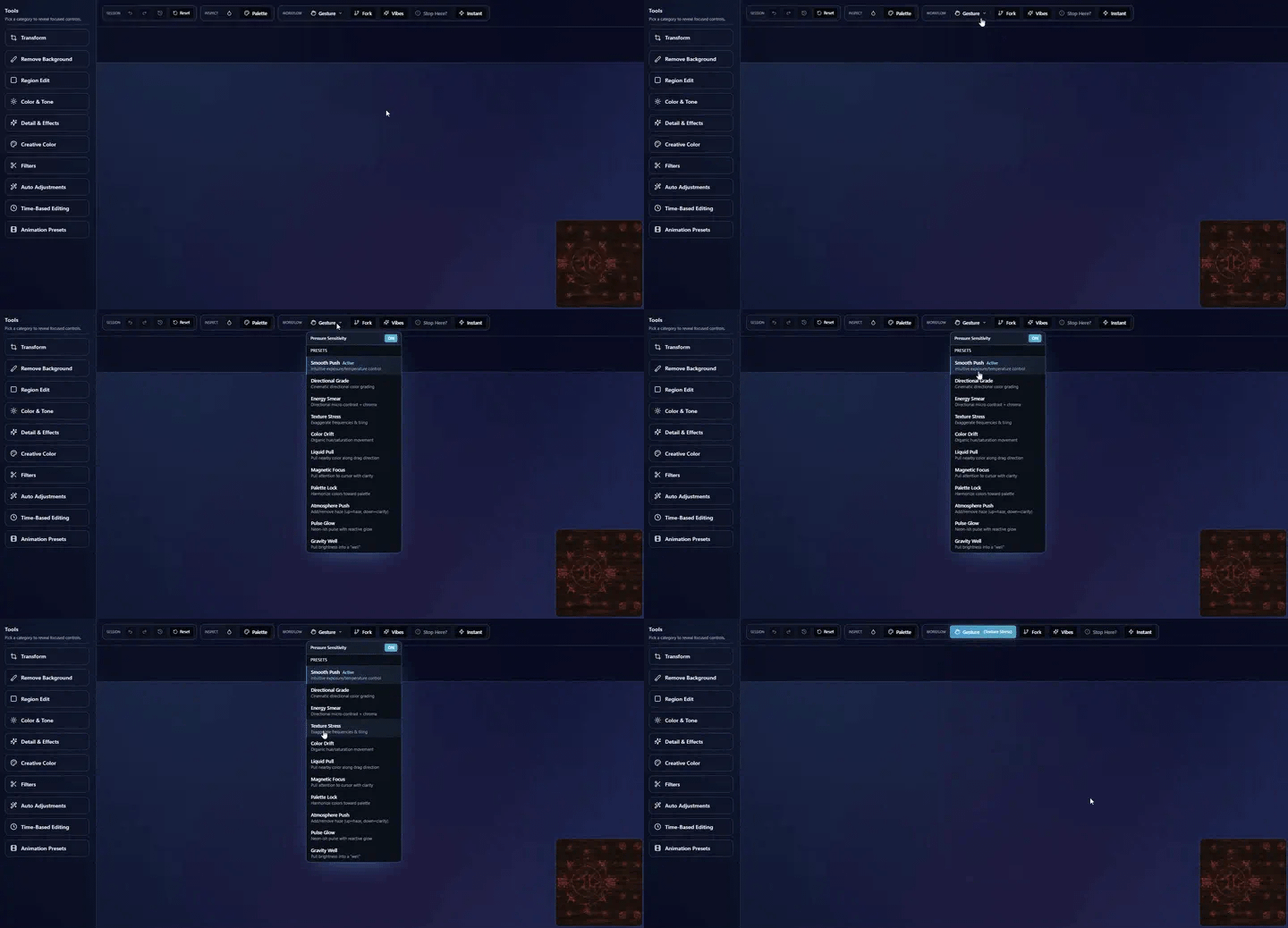
The PLAYTEX Image Editor allows precise cleanup and preparation of source images, ensuring optimal results for PBR generation.
Within the Image Editor, you can:
Crop and Transform: Isolate the most relevant parts of your image.
Remove Backgrounds: Eliminate unwanted elements and focus on the primary texture.
Tune Tone and Detail: Adjust brightness, contrast, and sharpness to create a neutral, well-defined base.
Work on Isolated Regions: Make precise adjustments to specific areas without affecting the entire image.
By taking the time to prepare your image, you set the foundation for a higher-quality, more consistent PBR material. This cleanup step is critical for deterministic and production-ready outputs.
Step 2: Generating a Seamless, Tileable Texture
Most game environments require textures that can repeat seamlessly across large surfaces without visible seams. After preparing your source image, the next step is to make it tileable. The PLAYTEX Image to Texture Generator excels at this, transforming photos and reference images into perfectly looping textures.
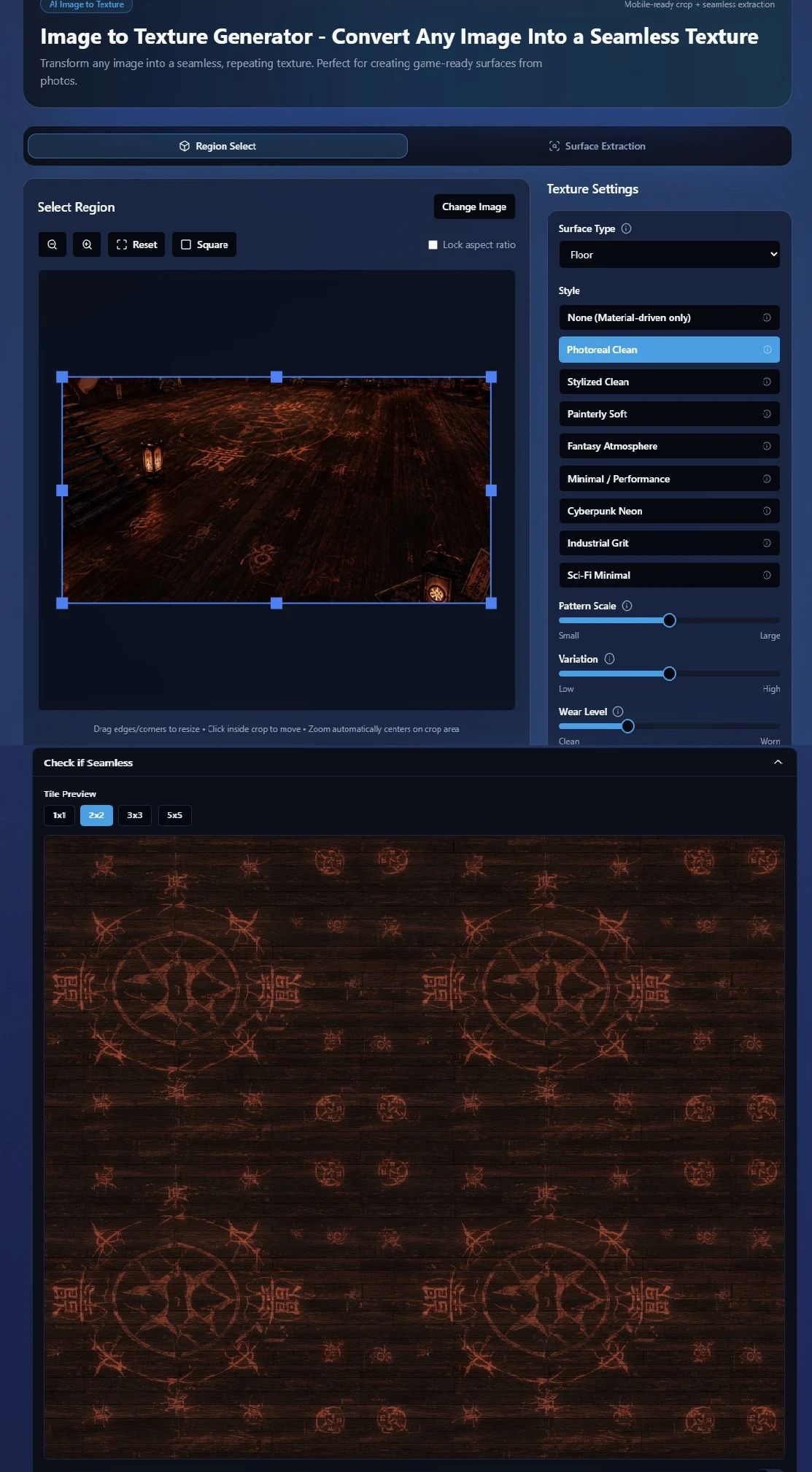
The Image to Texture Generator transforms any photo into a perfectly tileable texture, ready for repeating across large surfaces.
This tool leverages AI to intelligently analyze your image and generate a seamless pattern. It's designed to handle complex details and varying surface characteristics, ensuring that the resulting texture maintains visual integrity when tiled. This step is crucial for creating convincing large-scale environments and reducing texture memory footprint.
With a clean, tileable base texture, you're ready to generate the full suite of PBR maps. The PLAYTEX PBR Map Generator is a core feature that takes your source texture and intelligently extracts the necessary data for Normal, Roughness, Metallic, Ambient Occlusion (AO), Height, and Emission maps. These maps are essential for defining how light interacts with your material.
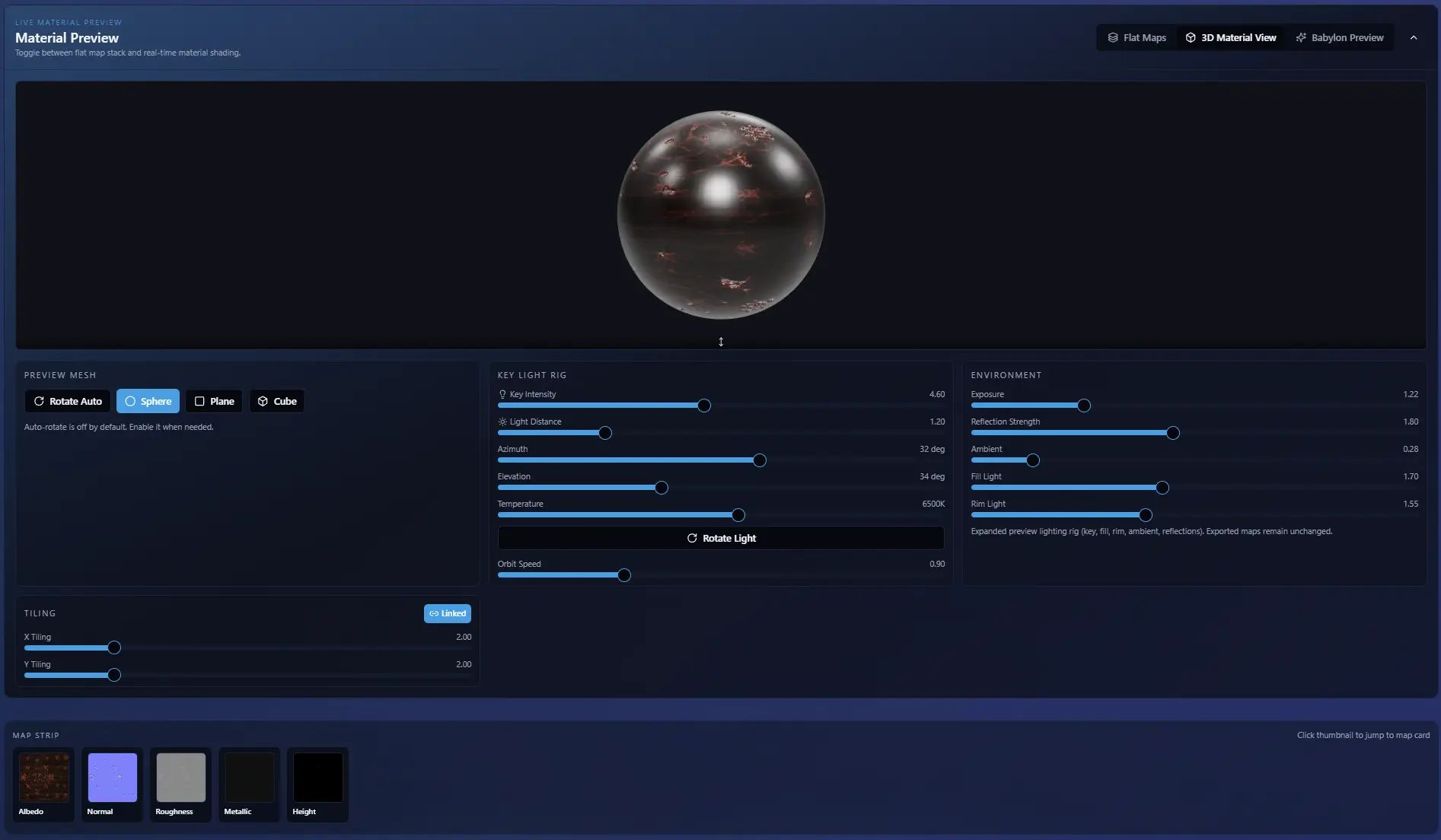
The PBR Map Generator efficiently creates a complete and coherent set of PBR maps from your source texture.
Normal Map: Adds surface detail and depth without increasing polygon count.
Roughness Map: Controls how diffuse or glossy a surface appears.
Metallic Map: Defines which parts of a surface are metallic and which are dielectric.
Ambient Occlusion (AO) Map: Simulates soft shadows where objects are close together, adding depth.
Height Map: Provides displacement information, useful for parallax occlusion mapping or tessellation.
Emission Map: Specifies areas that emit light, like glowing elements.
The PBR Map Generator is tuned to produce a coherent material set, ensuring all maps work together harmoniously for real-time engine compatibility. This deterministic workflow provides consistent results, which is vital for team collaboration and repeatable asset creation.
Step 4: Refining and Exporting Your PBR Material Set for Game Engines
Once your PBR maps are generated, PLAYTEX allows for further refinement to ensure they meet your specific artistic vision and technical requirements. You can fine-tune individual map properties, adjust intensity, and preview your material in a 3D viewer to confirm its appearance under various lighting conditions.
The platform is built for production, meaning your outputs are engine-ready. PLAYTEX supports exporting your complete PBR material set in formats compatible with popular game engines like Unreal Engine, Unity, and others. This seamless transition from generation to engine integration saves valuable development time and ensures your assets are pipeline-ready.
Conclusion: Streamlining Your Texture Pipeline with PLAYTEX
Transforming any image into production-ready PBR texture maps is no longer a laborious task. With PLAYTEX, game developers and artists gain access to a powerful, integrated workflow that handles image preparation, seamless tiling, and comprehensive PBR map generation with efficiency and precision. This unified approach eliminates the need to juggle multiple disparate tools, allowing you to focus on creative iteration and delivering high-quality assets.
By leveraging the PLAYTEX Image Editor, Image to Texture Generator, and PBR Map Generator, you can significantly accelerate your content pipeline, ensuring your game environments and models achieve the visual fidelity expected in today's demanding gaming landscape. Explore the full capabilities of PLAYTEX and elevate your material creation workflow.